
TRANSPORTATION

Transportation Department
2001 Aluminum Ave. Hampton, VA 23666
Darrin Wills
Director
757-727-1079
dwills@hampton.k12.va.us
Supervisor Territory Assignments
Kyle Blackwell
Assistant Director
757-727-1079
kblackwell1@hampton.k12.va.us
Renita Figgs
Supervisor, West Side Schools
757-727-1079
rfiggs@hampton.k12.va.us
Beverly MacDonald
Supervisor, East Side Schools
757-727-1079
bmacdonald@hampton.k12.va.us
Natasha Robinson
Supervisor, Safety and Training
757-727-1079
nrobinson1@hampton.k12.va.us
Brian Schoorens
Shop Manager
757-727-1082
bschoorens@hampton.k12.va.us
Robert Smith
Routing and Scheduling Specialist
757-727-1079
rsmith4@hampton.k12.va.us
Rhiannon Seaton
Routing and Scheduling Specialist
757-727-1079
rseaton@hampton.k12.va.us
Alexis Perry
Finance Specialist
757-727-1079
aperry6@hampton.k12.va.us
.jpeg)
How do I find out the location of my child’s bus stop?
Visit http://edulogweb.hampton.k12.va.us/edulog/webquery/ and simply enter your address to see if your child is eligible for bus transportation. The site will list the school your child will attend as well as the location for your child’s bus stop. It will also give an estimated stop time.
What time should I have my child at the bus stop?
We ask that students arrive about 10 minutes prior to the estimated pick-up time and be prepared to wait at the bus stop up to 10 minutes after the estimated pick-up time. There will be small variations in the school bus schedule and we thank you in advance for your patience and cooperation to keep the schedule moving as smoothly as possible.
My kindergartener’s bus driver asked me for my card before he would let my child off the bus. What’s that all about?
We are committed to safety, so Hampton City School utilizes a card system to ensure that only an authorized adult meets our pre-kindergarten and kindergarten students at the bus stop each day. Please remember to be at the bus stop at least 10 minutes prior to the estimated stop time and have your identification and student card ready to show the driver.
My child is a special education student. To whom should I speak regarding his transportation?
Please contact the Special Education office at 727-2400 for IEP accommodations relating to your child’s transportation.
My child left a book (glove, instrument, etc.) on the bus. What do I do?
Drivers check their buses after every run. Items left by students are held by the driver for several days and may be claimed on the bus by the child. Make sure your child and his item are reunited quickly by labeling your child’s things with his name whenever possible.
I have concerns about the location of my child’s bus stop. What do I do?
Bus stops are placed at centralized locations that can be safely accessed by a significant number of students to minimize the length of time your child spends on the bus. If you have concerns about your child’s bus stop, please call 757-727-1079.
Hampton City Schools is excited to share that beginning January 12, 2026, families will have access to Where’s My Bus? in the Edulog Parent Portal App — a free tool designed to improve communication, student safety, and transportation efficiency.
With this app, you can:
-
See the planned pick-up and drop-off times for your child’s bus
-
View the bus location when it is within two miles of your child’s stop
-
Receive push notifications when the bus is approaching
-
Get important, time-sensitive messages from our transportation department
The app is free for all parents, guardians, and students.
To log in, you will need your child’s:
-
School name
-
Student ID number
-
Date of birth
-
Exact spelling of their first and last name

Download the app from the Apple App Store or Google Play by searching for “Edulog Parent Portal” and choose the app with the white bus on the teal background or use this QR Code:

Once you have the app downloaded, sign up using your email address. NOTE: Edulog’s other parent app, Parent Portal Lite, has a yellow icon, so take time to download the correct app.
HCS remains committed to providing safe, reliable transportation for all students. This app is another important step in strengthening communication and keeping families informed.
Please know this app is replacing our ParentSquare notifications regarding late buses. Families will need to utilize the app. Additionally, we continue to encourage students to arrive at their bus stop 10 minutes before their scheduled pickup time to support a smooth pickup experience and help our buses stay on schedule.
For more information and a how-to guide, visit: https://bit.ly/3XNc8rn or watch this YouTube video on how to get started - https://www.youtube.com/watch?v=6UcZmaK04u4&t=12s.
If you need additional assistance, please contact our Transportation Department at 757-727-1079.
FREQUENTLY ASKED QUESTIONS:
Q: What is Edulog’s Parent Portal? How do I sign up to use it?
A: The Parent Portal mobile app by Education Logistics, Inc. (Edulog) allows school districts to share planned and actual school transportation information with parents and caregivers. The app provides the latest information on the planned time and location of the student’s school bus stop. It can show the position of the school bus and give an alert as the bus nears the bus stop.
Download the Edulog Parent Portal from the Google Play Store or the Apple App Store. Search for “Edulog Parent Portal” and choose the app with the white bus on the teal background.
Once you have the app downloaded, sign up using your email address. NOTE: Edulog’s other parent app, Parent Portal Lite, has a yellow icon, so take care to download the correct app. Using the QR code pictured here will access the correct app.
Q: Is there a Spanish version?
A: Yes. Once you have the app installed, the language can be changed from English to Spanish on the SETTINGS tab. Make sure to select SAVE to continue in the language of your choice.
Q: Should I register separately for each of my children?
A: Just register once for your school district. A single registration allows you to access information for all students for whom you have the security information.
NOW THAT YOU HAVE INSTALLED THE APP - GETTING STARTED
Q: How do I register my student(s)?
A: This is done from the STUDENT LIST tab by selecting the “+” icon or the ADD STUDENT button. In order to register your student, you must have 5 pieces of information to ensure security.
1. Student’s First Name (spelled correctly)
2. Student’s Last Name (spelled correctly)
3. School to which the student is assigned
4. Student’s date of birth
5. Student ID Number (found in the PowerSchool Parent Portal)
Q: My student’s first or last name is often misspelled or has multiple spellings. Which spelling do I use to access his/her information in the app?
A: You must use the spelling of the first and last name that matches the spelling used by the school district’s student information system.
Q: I am having trouble finding my student’s school to fill in the SCHOOL field. What am I missing?
A: There are two ways to select your student’s school.
-
One is to search based on the school name. As you type part of the school name, you will see schools that match that name, in full or in part.
-
Alternatively, you can click on the small map icon to the right of the school field and then locate the school on the map, selecting the icon displayed at the school location.
Q: What if my child is new to Hampton City Schools and attends a special program OR is a current HCS student and is switching to a special program, such as prekindergarten, IB, a special education program not at my child’s zoned school, ELL, Adult Alternative Learning Center and Bridgeport, VoTech, or McKinney Vento, how long will it take to see my child’s bus stop information in this new app?
A: It will take up to 72 hours to view your child's information.
Q: My student shows as PENDING or REJECTED. What should I do?
A: Typically, a student registration shows as PENDING or REJECTED if all 5 security fields do not match. You can see the data that you entered by selecting this student in the app and examining the data to check for typographical errors. If you have questions about the spelling of the name or the district ID number, you should contact the student’s school.
Q: How do I delete a student from my app?
A: From the STUDENTS tab, just swipe left for that student. This is also the process you use to delete a PENDING or REJECTED registration.
Q: Why does my app say “GPS unavailable”?
A: The bus is currently two miles away from my bus stop. Parents can view the bus location when it is within two miles of their child’s stop.
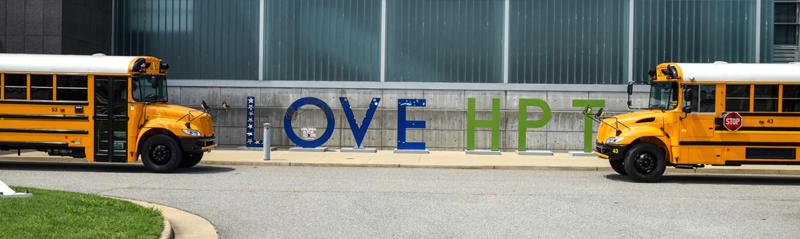
JOIN THE DRIVING FORCE!
Paid CDL Training
Benefits for Full Time Drivers
REQUIREMENTS
Nurturing and Positive Attitude
High School Diploma or equivalent
Age 21 or older
THANK YOU FOR ALLOWING OUR TRANSPORTATION FAMILY TO SERVE THE STUDENTS, FAMILIES, AND COMMUNITIES OF HAMPTON!
DRIVE SMART, DRIVE SAFE, DRIVE WITH PRIDE...
Our goal is to provide all eligible Hampton students with dependable and safe transportation to and from school, athletic events, after-school programs, and field trips. During the school year, the department operates 150-160 buses daily, transporting approximately 13,805 students between 14,000 and 16,000 miles each day for a total of 2.8 million miles each year!
With a dedication to service and a commitment to safety, the Transportation Department of the Hampton City School Division is in full operation 12 months of the year. All drivers have been professionally trained and have earned a Commercial Driver’s License from the Virginia Division of Motor Vehicles. For the safety and security of our students, all buses are equipped with audio and video monitoring systems, as well as hand-held radios which provide immediate communication with Department Dispatch personnel.


© 2026 HAMPTON CITY SCHOOLS All Rights Reserved
ONE FRANKLIN STREET, HAMPTON, VIRGINIA 23669
757-727-2000






.png)